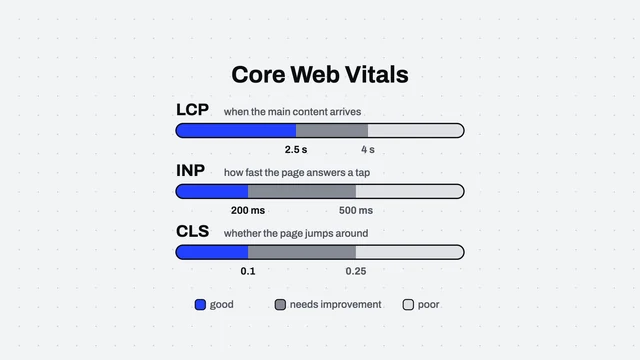
The home page of this site has a 3D scene written with Three.js. On our machines, which have a GPU, it runs smoothly. But measured in PageSpeed, the desktop score was 45 to 63 and Total Blocking Time was 0.9 to 3.9 seconds.
The gap between those two is what this article is about. The measuring machine was not wrong. It was a different kind of machine, and understanding how it differs was the whole of the fix.
The lab is not your customer’s computer
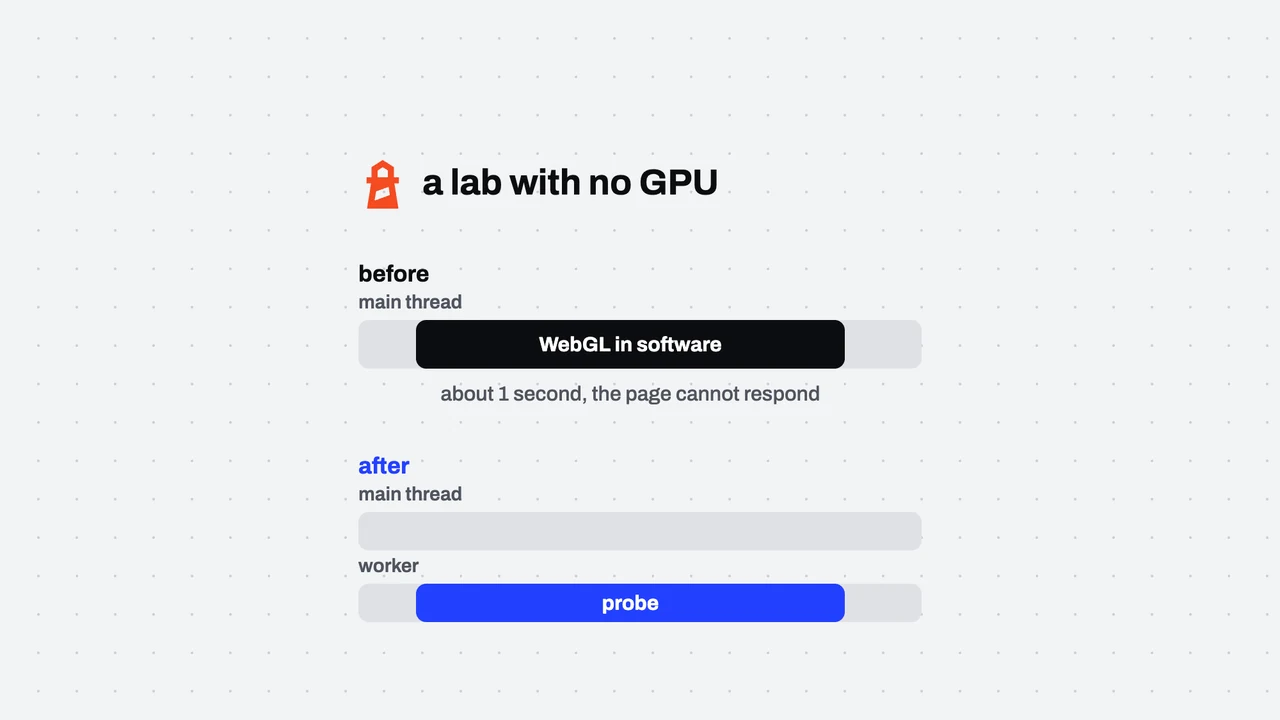
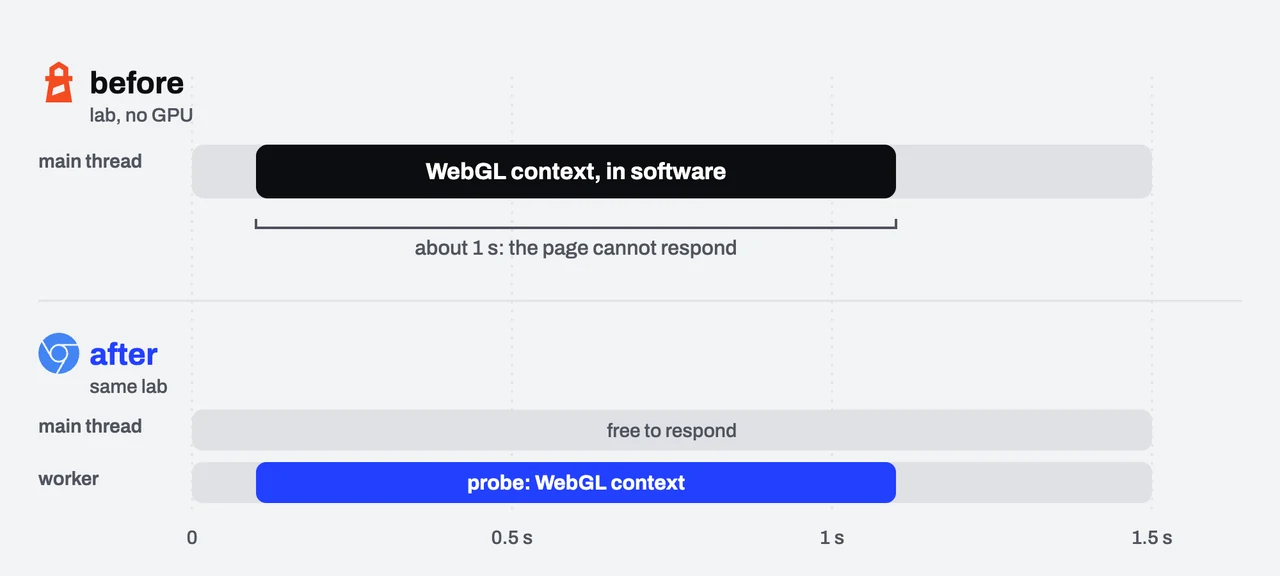
PageSpeed’s lab runs Chrome on a server with no GPU. When the page asks for WebGL, the browser falls back to a software renderer called SwiftShader. It works, but on the CPU alone, and just creating a WebGL2 context takes about a second on the main thread. For that second the page cannot respond to anything, which is exactly what Total Blocking Time measures.
The shortcut that was not enough: ask the browser
WebGL’s failIfMajorPerformanceCaveat option is meant to make context creation fail when the browser would have to use a slow renderer. We tried it, and it does not catch SwiftShader, so it did not help.
Our first attempt was to intercept context creation and read the renderer’s name. If it said software, we returned null and the 3D scene fell back to a poster image. That had one catch: to read the renderer’s name you must first create a context, and creating it is the very second we wanted to avoid.
What worked: let someone else try
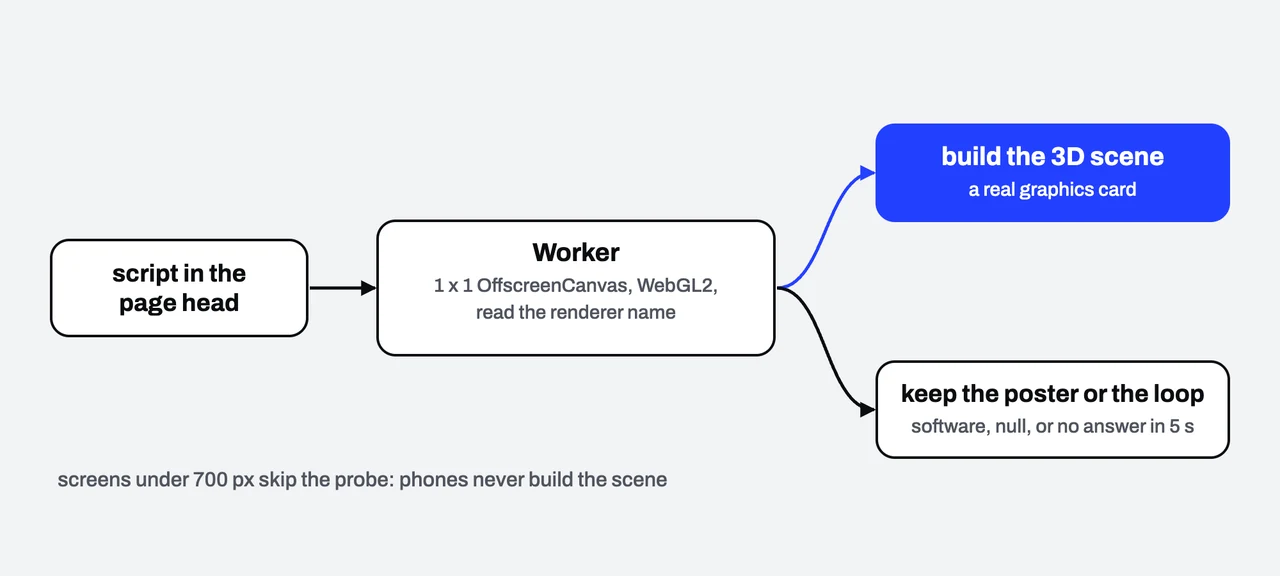
A Web Worker runs off the main thread and can create an OffscreenCanvas. So we let a small Worker create a WebGL2 context on a 1×1 pixel canvas, read the renderer’s name, and send back an answer: true for a real graphics card, false if the name contains swiftshader, llvmpipe, softpipe or software, and null if it cannot tell. The page never waits or pays that second.
A script in the home page’s head starts the Worker before anything else loads and keeps the answer for the 3D scene to read. Three details make it work in practice.
No answer within 5 seconds counts as no GPU, because a machine with no GPU that is being squeezed tends to answer late. Falling back to the poster is safer than waiting.
Screens narrower than 700 pixels skip the check, since phones do not build the 3D scene anyway.
The Worker has to be a real file, not a Blob, because the site’s CSP does not allow blob: in script-src, and we do not widen the CSP for convenience. The file is /static/gl-probe.js.
The result
Before the fix, the desktop measurement was 45 to 63 and Total Blocking Time was 0.9 to 3.9 seconds. After it, on 15 October 2026, we ran Lighthouse 13.5 three times on desktop and got 74, 79 and 83, with Total Blocking Time at 0 milliseconds in all three.
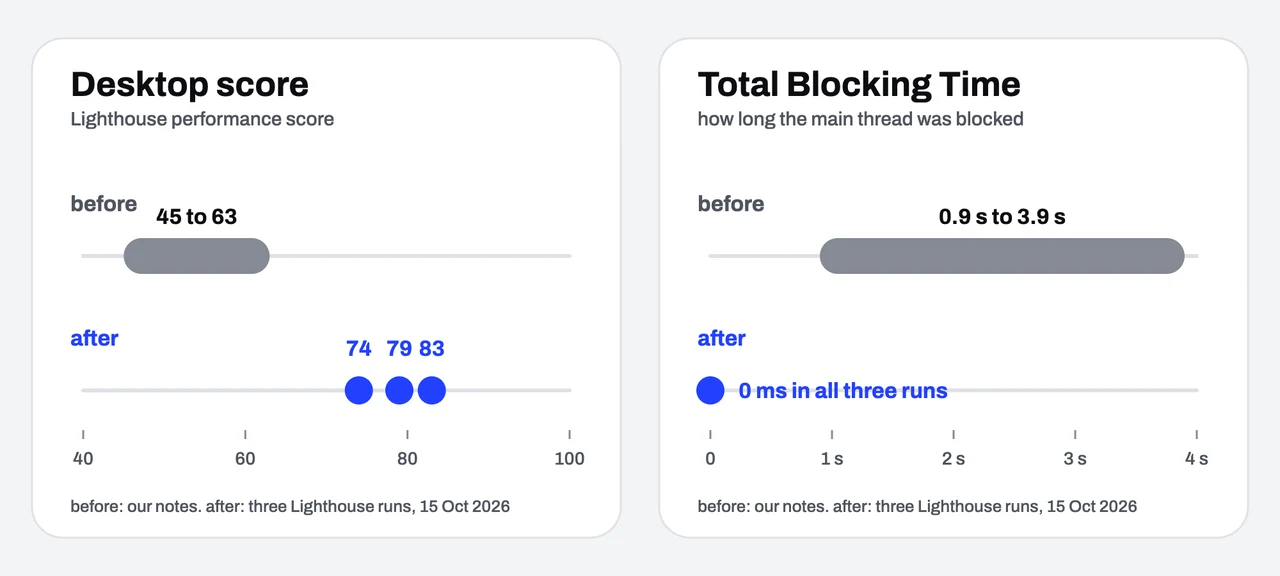
To be complete, the score is still not 100 and still moves between runs. What remains comes from other things, such as when the main image appears. What went away is the blocking of the page, which is a fix at the cause, not at the number. All of these figures were measured on our own machine and are not data from real visitors.
What we took from it
A low result does not always mean a slow site. Ask first how the measuring machine differs from your visitors’ machines.
The fallback has to be designed from the start. A visitor with no GPU still sees a poster or a video loop that works, not an empty page.
Write down what you tried that did not work in the project’s rules file, so whoever picks it up next does not have to try it again.